Best Lighting for Streaming: Picks, Setup, and Quick Tuning
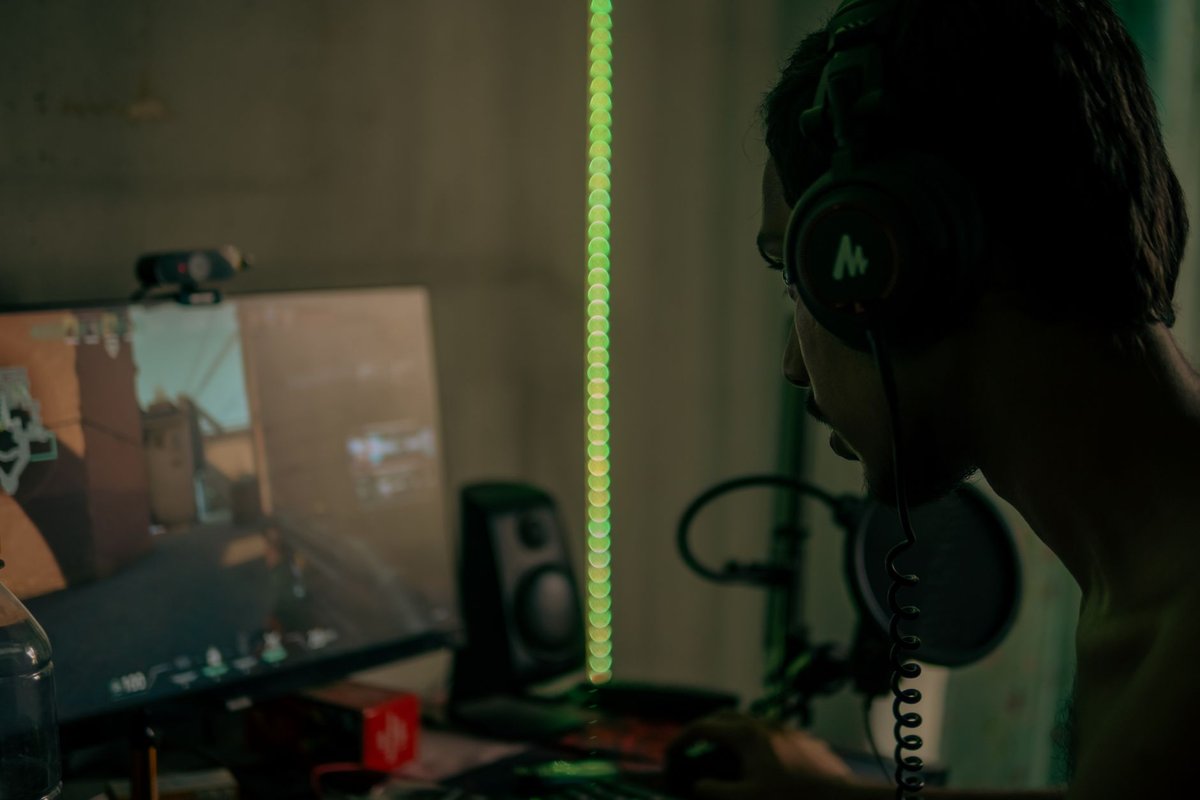
Lighting is the single biggest visual upgrade you can make to a stream. Even a modest webcam looks far better with a soft, directional key light and simple fill. This guide to the best lighting for streaming explains what to buy, how to place lights, and how to tune color and brightness for flattering, consistent results.
Why lighting matters and what it fixes
- Improves perceived sharpness and color without changing your camera.
- Reduces noise in low-light sensors by allowing lower gain/ISO.
- Controls mood and separation with hair/back lights and background accents.
- Makes chroma keying easier by reducing shadows and spill on green screens.
Key concepts and targets
- Key light: Main light on your face; soft, diffused, at ~30–45° from camera axis and slightly above eye level.
- Fill light: Softens shadows from the key; lower intensity (key:fill ratio ≈ 2:1).
- Hair/back light: Small rim light behind you to separate you from the background.
- Color temperature: Match lights to each other; 5,000–6,500K for a daylight look, 3,200–4,000K for warmer studio feel.
- CRI/TLCI: Aim for CRI ≥ 90 for accurate skin tones.
- Brightness: For webcam streaming, roughly 200–400 lux on the face; adjust with camera exposure so gain stays low.
- Softness: Larger diffused sources create softer, more flattering light.
Best lighting types and when to use them
- LED panel with diffuser: Versatile, dimmable, color-temp adjustable, the best overall for streamers.
- Ring light: Even frontal light and catchlights; flattens features if used alone, pair with a fill or hair light.
- Softbox: Very soft light for small studios; bulkier but excellent for portraits.
- Desk-mount key light bars: Space-efficient, mounts behind monitors or on arms.
- RGB accent lights: Background color and mood only, keep separate from key/fill to avoid color contamination on skin.
Top picks
- Best overall: Aputure Amaran LED panel class, high CRI, adjustable temperature, strong output.
- Best streamer-specific: Elgato Key Light / Key Light Air, desk-mount, app control, built for streaming desks.
- Best budget: Neewer 2-pack LED panel kit, affordable, dimmable, includes stands.
- Best softbox: Godox softbox kit class, large soft source for flattering light.
- Best RGB accent: Govee / Nanoleaf panels and strips, programmable background color.
Practical setup: step-by-step (webcam-focused)
Quick troubleshooting
- Glasses glare: Raise and widen the key light angle, or use a larger softer source.
- Harsh shadows on green screen: Move further from the screen; add even background lights.
- Washed-out skin: Reduce key intensity; check white balance.
- Uneven skin tones: Use CRI ≥ 90 lights and never mix color temperatures.
- Background color bleeding onto you: Lower accent brightness or increase distance.
Comparison table (3 products)
| Product | One-line pro | One-line con | | --- | --- | --- | | Aputure Amaran LED panel | High CRI and strong output for any camera | Higher cost than basic panels | | Elgato Key Light Air | Compact, desk-friendly, app control | Less output than full studio panels | | Neewer 2-pack LED kit | Affordable with stands included | Diffusion quality below pro brands |
FAQ
Q: What is the best color temperature for streaming? A: Consistency matters more than the exact value, match all lights; 5,000–6,500K for daylight, 3,200–4,000K for warmth.
Q: Do I need a softbox or is an LED panel enough? A: A diffused LED panel is enough for most streamers; softboxes give softer light but need more space.
Q: How far should lights be from my face? A: Start at 1–2 meters and adjust until the face is evenly lit without clipped highlights.
Q: How do I light for a green screen? A: Light the screen evenly with two background panels, keep yourself 3–6 feet in front, and light yourself separately.
Q: What brightness should I use for webcam streaming? A: Roughly 200–400 lux on the face; set camera exposure so gain stays low for a clean image.
Q: Is a ring light enough on its own? A: It works for a quick start but flattens features and creates ring-shaped catchlights; a 45° key light looks more professional.
Quick checklist before going live
- Lock white balance and exposure in camera software.
- Confirm key:fill ratio (~2:1) and hair-light separation.
- Check for reflections on glasses.
- Test green-screen keying if used.
- Save or note light positions for repeatable setup.
Final verdict and CTA
Buy one good diffused key light first, Elgato-class for desk convenience, Aputure-class for output, Neewer for budgets. Add fill and a hair light as you grow, keep every bulb at the same temperature, and your stream will look professionally lit on any camera.
Ready to look better tonight? Set your key light at 45°, lock your exposure, and compare before/after screenshots.
---
---
Related Reading
---Buy at Rubab's Digital shop — Webcams & Video. Rubab's Digital is our own online store.