Budget Streaming Setup Under $500: Complete 2026 Guide
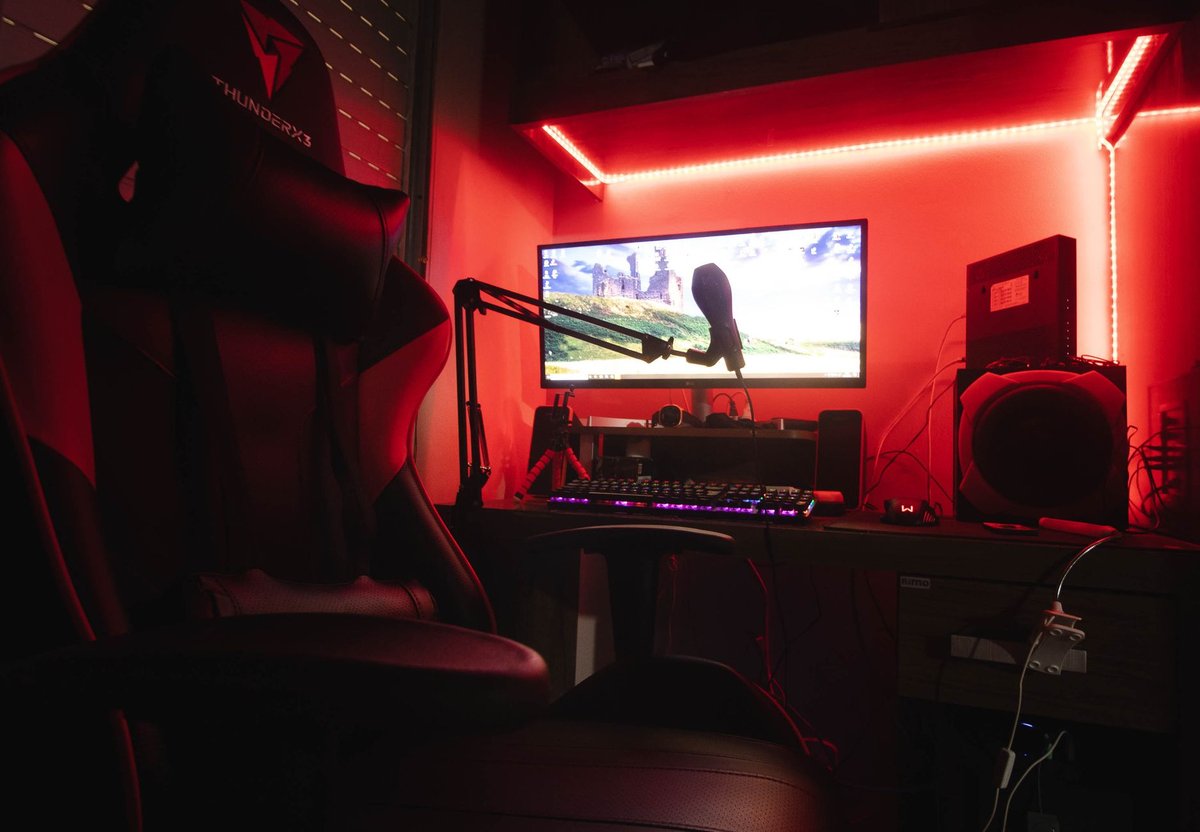
Starting a stream doesn't require a $3,000 studio. In 2026, $500 or less buys you everything you need to look and sound professional: a capable mic, a decent camera, lighting that flatters, and free software that rivals paid tools. The secret is knowing where money matters (audio, always audio) and where it doesn't (you don't need a 4K camera on day one). This guide builds a complete budget streaming setup, item by item, with priorities and alternatives at each price point.
---
The golden rule: audio > video > everything else
Viewers tolerate a soft webcam image. They do not tolerate bad audio. Echoey rooms, keyboard clatter, and muffled voices are the #1 reason new viewers leave a stream. Budget accordingly:
- ~40% of budget: Microphone and audio treatment.
- ~25%: Camera.
- ~20%: Lighting.
- ~15%: Accessories (arm, mounts, cables).
---
The $500 build (recommended)
| Item | Example | Approx. price | | --- | --- | --- | | USB dynamic mic | Samson Q2U / Audio-Technica ATR2100x | $60–80 | | Boom arm | Budget spring arm | $25–35 | | Webcam | Logitech C920 / C922 or equivalent 1080p | $60–80 | | Key light | Softbox or LED panel with diffuser | $50–80 | | Fill/accent light | Small LED panel or smart bulb | $25–40 | | Green screen (optional) | Collapsible chroma screen | $40–60 | | Headphones | Any closed-back you own, or budget monitors | $0–50 | | Cables, mounts, misc | , | $30–50 |
Total: roughly $290–475, leaving headroom for upgrades or a capture card later.
---
Audio: the money section
Why a dynamic USB mic
Condenser mics (like the popular budget condensers) pick up everything, fans, keyboards, the neighbor's dog. Dynamic mics reject room noise and make untreated rooms sound far better. The Samson Q2U and ATR2100x are legendary starters because they're dynamic, USB and XLR (so they survive your future upgrade to an audio interface).
Placement beats price
- Mic within 10–15 cm of your mouth, slightly off-axis to reduce plosives.
- A boom arm gets it close without desk vibration; add a cheap shock mount if needed.
- Foam windscreen (~$5) kills breath noise.
Free audio processing
OBS's built-in filters do 80% of the work:
---
Camera: good enough is good enough
A 1080p webcam with decent lighting looks better than a 4K camera in the dark. Options by budget:
- $60–80: Logitech C920/C922 class, the default answer for a reason.
- $0: Your smartphone. Apps like Camo or built-in phone-as-webcam features (Continuity Camera on iPhone, similar on Android) often beat any sub-$150 webcam. Budget a $15 phone mount instead.
- Skip for now: DSLR/mirrorless + capture card. Great image, but it's a $400+ path, save it for after you've built an audience.
---
Lighting: the cheapest big upgrade
Lighting is where $60 transforms your stream:
- Key light: One softbox or diffused LED panel at 45° from your face, slightly above eye level. This alone fixes most "webcam quality" complaints.
- Fill: A dimmer light or even a white wall bouncing the key light softens shadows on the other side.
- Background/accent: A cheap RGB smart bulb or LED strip behind you adds depth and the "streamer look" for under $25.
---
Software: free covers everything
- OBS Studio, the industry standard, free. Learn scenes, sources, and audio filters.
- Encoder: Use your GPU encoder (NVENC on NVIDIA, AMF on AMD) to stream with minimal FPS loss in game.
- Overlays and alerts: Free tiers of common overlay tools, or free OBS overlay packs.
- Settings starting point (1080p60 to Twitch): 6000 kbps bitrate, NVENC, quality preset. Drop to 936p or 720p60 if your upload is below ~8 Mbps.
---
Console streamers: one addition
Streaming PS5/Xbox/Switch through a PC needs a capture card. Budget options with 1080p60 passthrough start around $60–90 and fit inside the $500 total if you shift the green screen and accent light to later. Alternatively, PS5 and Xbox both have built-in Twitch streaming, start there for $0 and upgrade when your audience justifies it.
---
Upgrade path (what to buy later, in order)
---
Common beginner mistakes
- Spending on a 4K camera before fixing audio and lighting.
- Streaming at a bitrate your internet can't sustain (causes dropped frames, the stream killer).
- Buying a stream deck before a boom arm.
- Ignoring ergonomics, you'll be sitting there for hours; a decent chair matters more than RGB.
Conclusion
A $500 budget, spent in the right order, mic first, lighting second, camera third, produces a stream that looks and sounds professional. Start with the build table, use free software aggressively, and upgrade only when a bottleneck is actually costing you viewers.
Call to action: Build the audio portion this week and record a 2-minute test clip, compare it to your old setup and you'll hear where the money went.
---
Buy at Rubab's Digital shop — Webcams & Video. Rubab's Digital is our own online store.