How to Choose the Right GPU Upgrade in 2026: A Practical Guide
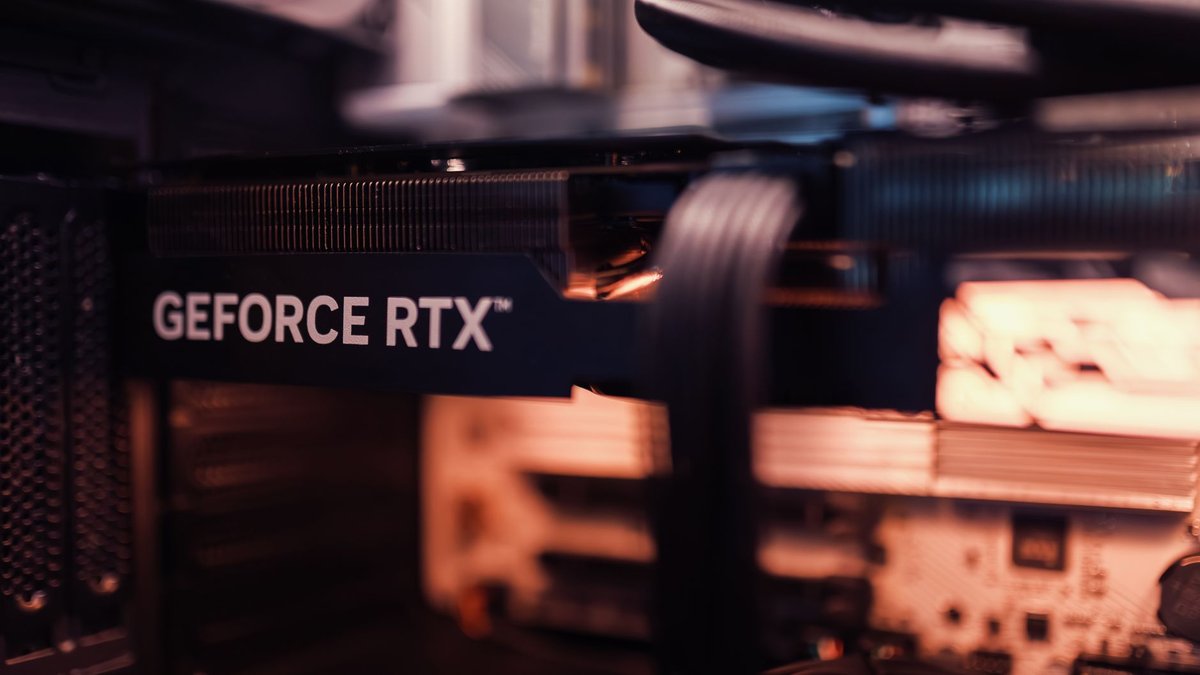
Upgrading your GPU is one of the most impactful upgrades for gaming performance, but it's also one of the most complex decisions. Between compatibility, power, cooling, and price volatility, choosing the right GPU requires a clear plan. This guide walks you through assessing your needs, comparing options, ensuring compatibility, and maximizing value from your GPU upgrade in 2026.
---
Why upgrade your GPU?
A GPU upgrade can:
- Increase frame rates and smoothness in modern titles.
- Enable higher resolutions (1440p, 4K) and higher refresh rates.
- Unlock ray tracing and advanced effects with acceptable performance.
- Extend the life of your system for future releases.
---
Step 1: Define your goals
- Target resolution and refresh rate: 1080p 144Hz, 1440p 144Hz, or 4K 60Hz?
- Ray tracing importance: Do you want RT on with good FPS?
- VR or content creation needs: Video editing and rendering benefit from more VRAM and compute cores.
- Budget: Set a realistic price range and consider used markets.
---
Step 2: Check system compatibility
CPU bottleneck
- Pairing a high-end GPU with an old CPU can cause bottlenecks. Use CPU utilization benchmarks to estimate bottleneck risk.
Power supply (PSU)
- Check wattage and connectors (12VHPWR, 8-pin). Newer GPUs may require 12VHPWR adapters or native connectors.
Case size and cooling
- Measure GPU clearance and ensure your case supports the card length and thickness. Check airflow and add case fans if needed.
Motherboard and PCIe lanes
- PCIe 4.0 vs 5.0: Most GPUs perform well on PCIe 4.0; PCIe 5.0 offers marginal gains today.
Step 3: Choose the right GPU class
Budget 1080p 144Hz
- Who it's for: Competitive FPS players who prioritize high refresh rates.
- What to look for: High single-frame performance, low latency, efficient cooling.
Mid-range 1440p 144Hz
- Who it's for: Gamers who want high fidelity and smoothness.
- What to look for: Strong rasterization performance and decent ray tracing.
High-end 4K 60+ FPS
- Who it's for: Enthusiasts and content creators.
- What to look for: Large VRAM (12–24GB), robust cooling, and power delivery.
Workstation / Creator cards
- Who it's for: Video editors, 3D artists, and streamers.
- What to look for: Compute performance, driver stability, and software certifications.
Step 4: Compare real-world performance
- Use 1% lows and frame time charts not just average FPS.
- Check power draw and thermals for long sessions.
- Look for benchmarks in your target games at your target resolution and settings.
---
Step 5: Value and timing
New vs used
- New cards offer warranty and latest features.
- Used cards can be great value but check for mining history and warranty transferability.
Price/performance curve
- Identify the sweet spot where incremental cost yields diminishing returns. Often mid-high tier cards offer the best value.
Sales and bundles
- Watch seasonal sales, manufacturer rebates, and bundle deals (games, software) to increase value.
Installation checklist
---
Cooling and acoustics
- Aftermarket coolers on partner cards often run quieter and cooler.
- Case airflow matters: add intake and exhaust fans for stable temps.
- Undervolting can reduce temps and power draw with minimal performance loss.
Future-proofing considerations
- VRAM: 12–16GB is a safe target for 1440p/4K in the near future.
- Ray tracing and DLSS/FSR: Look for cards with strong RT performance and support for upscaling tech.
- Driver support and software features: Regular driver updates and features like frame generation can extend card usefulness.
Affiliate and monetization opportunities
- GPU comparison tables with affiliate links.
- PSU and cooling bundles for compatibility.
- Upgrade service guides (paid or affiliate-linked) for users who prefer professional installation.
Example upgrade scenarios
From GTX 1060 to mid-range 1440p card
- Expect 2–3x performance uplift in modern titles; consider CPU pairing.
From RTX 2060 to high-end 1440p/4K card
- Significant gains in RT and DLSS-enabled titles; check PSU and case clearance.
Conclusion
A GPU upgrade is a high-impact change that requires planning: define goals, check compatibility, compare real-world benchmarks, and time your purchase for the best value. Pair the new GPU with adequate cooling and a balanced CPU to unlock its full potential.
Call to action: Choose your target resolution and budget, then pick a GPU class that matches — upgrade when you find a deal that hits your price/performance sweet spot.