Block Drop
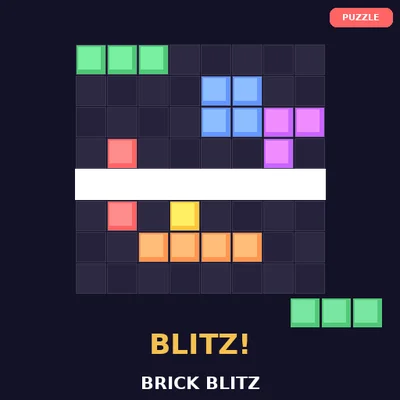
Block Drop is a satisfying falling-block puzzle game in the tradition of classic tile-matching games. Arrange falling shapes to create complete horizontal lines, which then clear from the board and earn you points. As you clear more lines, the blocks fall faster, testing your quick thinking and spatial awareness. Plan ahead to keep your stack low and avoid reaching the top. Scoring combos by clearing multiple lines at once rewards skillful play with bonus points. The simple mechanics and escalating challenge create that perfect loop of easy to play, hard to master.
Block Drop is a satisfying falling-block puzzle game in the tradition of classic tile-matching games. Arrange falling shapes to create complete horizontal lines, which then clear from the board and earn you points. As you clear more lines, the blocks fall faster, testing your quick thinking and spatial awareness. Plan ahead to keep your stack low and avoid reaching the top. Scoring combos by clearing multiple lines at once rewards skillful play with bonus points. The simple mechanics and escalating challenge create that perfect loop of easy to play, hard to master.
🪙 Coin System
• 1 coin per game session
• New players get 80 free coins
• Sign in to save progress and earn achievements
Controls
Desktop: Use keyboard arrows/WASD and mouse to play.
Mobile: Tap and swipe. Use fullscreen for best experience.
About Block Drop
Block Drop is a satisfying falling-block puzzle game in the tradition of classic tile-matching games. Arrange falling shapes to create complete horizontal lines, which then clear from the board and earn you points. As you clear more lines, the blocks fall faster, testing your quick thinking and spatial awareness. Plan ahead to keep your stack low and avoid reaching the top. Scoring combos by clearing multiple lines at once rewards skillful play with bonus points. The simple mechanics and escalating challenge create that perfect loop of easy to play, hard to master.
How to Play Block Drop
1. Click the play button above to start the game.
2. Use the on-screen controls or your keyboard/mouse to interact.
3. Follow the in-game instructions for objectives and scoring.
4. Use the fullscreen button for the best gaming experience on any device.
Tips & Tricks
• Play in fullscreen mode for better visibility and control.
• On mobile, rotate your device to landscape for wider gameplay.
• Practice the early levels to build muscle memory before advancing.
Frequently Asked Questions
How do I rotate blocks in Block Drop?▾
Use the up arrow key or tap the rotate button to spin falling blocks. Move them left and right with arrow keys or swipe. Press down to speed up the drop.
How do I score more points?▾
Clear multiple lines at once for bonus points. A single line gives base points, but clearing two, three, or four lines simultaneously multiplies your score significantly.
Does the speed increase?▾
Yes, the falling speed increases as you clear more lines. This gradual acceleration is what makes the game progressively more challenging and exciting.