Elden Ring Stuttering Fix on Windows 11 and Steam Deck

Elden Ring is a masterpiece, but its open-world scale can cause stuttering, hitching, and frame drops — especially on mid-range PCs and handhelds like the Steam Deck. This guide covers practical fixes for Windows 11 and Steam Deck users, from quick settings changes to hardware upgrades that actually move the needle.
---
Understanding the stutter: what causes it?
Stuttering can come from multiple sources:
- CPU/GPU bottlenecks during heavy scenes.
- Texture streaming from slow storage.
- Background processes stealing CPU cycles.
- Driver or OS-level issues (Windows 11 power plans, Game Mode).
- Incompatible mods or overlays.
---
Quick fixes to try first
These steps often resolve the majority of stuttering issues.
---
Windows 11 specific optimizations
Power plan and CPU scheduling
- Set power plan to High Performance or Balanced with max CPU state at 99% to avoid Windows throttling.
- Graphics settings: In Windows Settings → System → Display → Graphics, set Elden Ring to High performance.
Disable unnecessary services
- Use Task Manager to identify and disable background apps (cloud sync, antivirus scans) while gaming.
Virtual memory and pagefile
- Ensure Windows has a properly sized pagefile (system managed is usually fine). For low-RAM systems, increase pagefile to reduce swapping stutter.
In-game settings that help
Textures and streaming
- Textures: Medium or High depending on VRAM.
- Texture streaming: Lower to reduce stutter from asset streaming.
Shadows and effects
- Shadows: Low.
- Ambient occlusion and motion blur: Off for smoother performance.
Frame pacing and cap
- Cap FPS to a stable target (e.g., 40–60) rather than leaving it uncapped. Uncapped FPS can cause inconsistent frame times.
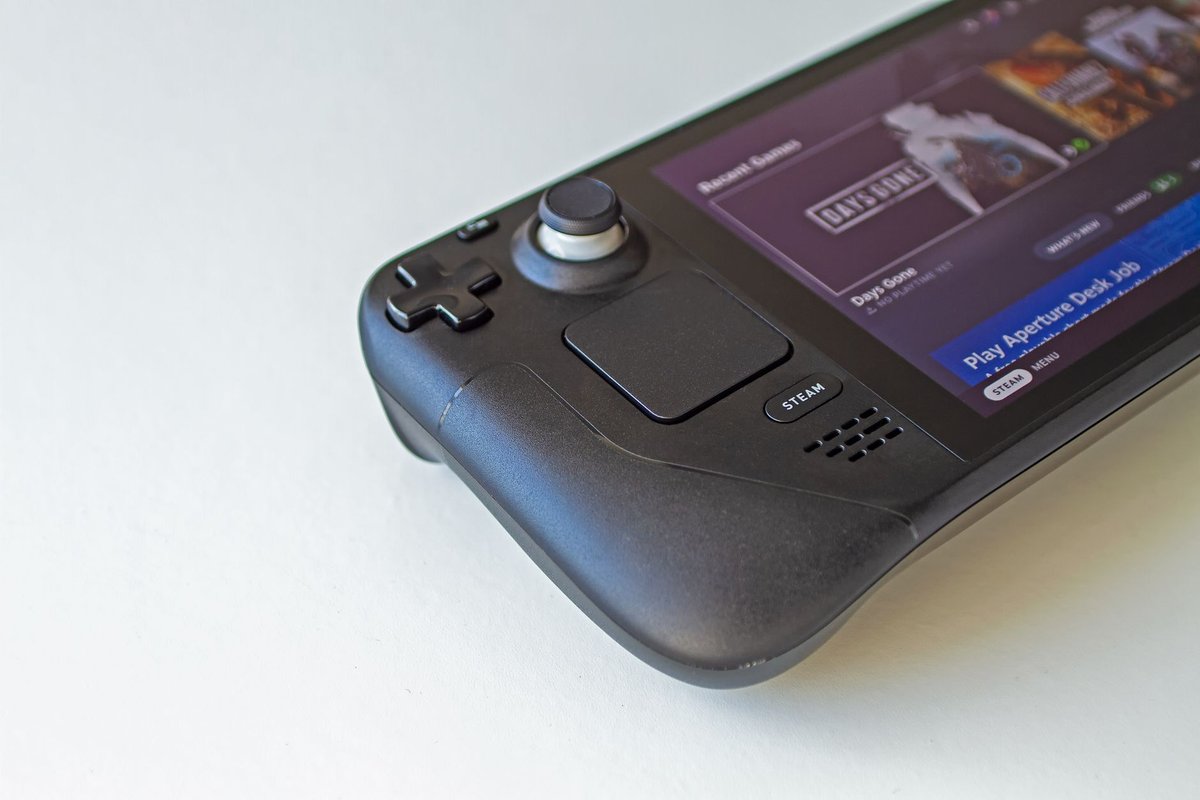
Steam Deck specific fixes
- Use FSR or Proton's upscaling to reduce GPU load.
- Install on fast microSD or internal NVMe to avoid streaming stalls.
- Cap FPS at 40 and reduce shadow/texture settings.
- Use a cooling stand to avoid thermal throttling.
Driver and software troubleshooting
Clean driver install
- Use DDU (Display Driver Uninstaller) to remove old drivers and perform a clean install of the latest GPU driver.
Rollback if necessary
- If a new driver causes stutter, rollback to a previous stable version.
Proton and compatibility layers
- Try Proton GE builds for better performance on Linux/SteamOS. Some Proton versions fix stuttering in specific titles.
Hardware upgrades that reduce stutter
- Faster storage (NVMe / high-speed microSD) — reduces texture streaming stalls.
- More RAM — prevents swapping and reduces hitching.
- SSD over HDD — if you're still on a mechanical drive, upgrading to SSD yields immediate improvements.
Advanced diagnostics
Frame time analysis
- Use tools like MSI Afterburner + RivaTuner to log frame times. Spikes indicate hitching sources.
CPU/GPU utilization
- Monitor CPU and GPU usage. If CPU is maxed while GPU is idle, optimize CPU-heavy settings (AI, physics, draw distance).
Background I/O
- Check disk I/O during stutter. High I/O suggests streaming issues.
Mods and community fixes
- Some community mods and patches address specific performance issues. Use trusted sources and test mods one at a time. Keep a clean backup of saves before modding.
Example step-by-step fix (common case)
This sequence resolves most stuttering cases for mid-range systems.
---
Affiliate opportunities (where to link)
- NVMe SSDs — recommend a fast NVMe for installs.
- High-speed microSD — for Steam Deck users.
- RAM kits — for systems with <16GB.
- Cooling solutions — for laptops and Steam Deck.
---
Conclusion
Elden Ring stuttering is usually solvable with a combination of driver updates, sensible in-game settings, and faster storage. Start with the quick fixes, then move to per-system diagnostics if problems persist. With the right tweaks, you'll restore the smooth, immersive experience the game was designed to deliver.
Call to action: Try the step-by-step fix above and report back your before/after FPS and battery numbers — we'll help refine the settings for your rig.